

How to Simulate AI Server Heat Load Before GPU Racks Arrive
Data Center Commissioning Guide
How to Simulate AI Server Heat Load Before GPU Racks Arrive
Before GPU racks are delivered, a load bank can help commissioning teams prove that the power path, rack busway, PDU, CDU, cooling loop, alarm logic, and data records are ready for real AI server operation.
Quick Answer
To simulate AI server heat load before GPU racks arrive, connect a rack mounted load bank to the planned rack power feed and cooling loop, then step the electrical load through the expected kW profile while recording CDU response, coolant flow, inlet and outlet temperature, delta-T, pressure, pressure drop, alarms, PDU readings, and BMS or EPMS signals.
A load bank for AI server thermal simulation does not reproduce GPU computing behavior. It reproduces the two commissioning loads that matter before servers are available: electrical demand and heat rejection into the room or liquid cooling system.
Why AI Racks Need Thermal Simulation Before Delivery
AI and GPU racks compress a very large power and heat load into a small footprint. In many projects, the electrical infrastructure, cooling plant, CDUs, containment, controls, and monitoring systems are ready before the actual servers arrive. Waiting for the GPU racks to perform the first meaningful heat test can push risk into the final commissioning window.
From a technical engineering perspective, the question is not only whether the room has enough cooling capacity on paper. The commissioning team needs to know whether the installed system responds correctly under a real rack-level load profile. That includes ramp behavior, alarm thresholds, valve control, pump response, PDU readings, branch circuit stability, and the quality of exported test records.
This is where a rack mounted load bank becomes useful. It gives the project team a controllable heat source that can be installed in the same electrical and mechanical context as the future AI rack. The load profile can be increased, held, reduced, and repeated before expensive IT hardware is on site.
Power Path Risk
UPS, switchgear, busway, branch circuits, rack PDU inputs, breakers, and metering can be checked under staged load instead of only through continuity or low-load tests.
Cooling Loop Risk
CDU capacity, coolant flow, delta-T, pressure drop, heat exchanger response, and leak alarm logic can be verified before live AI servers depend on them.
Record Risk
Commissioning reports, HMI data, Modbus points, BMS mapping, EPMS values, and SAT evidence can be validated while changes are still easier to make.
Recommended Test Topology
For high-density AI racks, the load bank should be treated as a temporary engineering load in the final rack environment. It should connect to the same power feed and, where applicable, to the same liquid cooling interface that the GPU rack or test manifold will use.
In an air-cooled test, the load bank releases heat into the server room or contained aisle. In a liquid-cooled test, the equipment transfers heat into the coolant loop so the CDU, facility water path, and control system can be tested with a realistic thermal load.
What the Load Bank Actually Simulates
A load bank is not a GPU simulator at the software or workload layer. It will not tell you how a specific AI model behaves or how a server firmware reacts to training jobs. Its role is more fundamental for commissioning: it creates controlled electrical demand and heat load.
| Simulation Target | What the Load Bank Provides | Why It Matters Before GPU Rack Arrival |
|---|---|---|
| Rack electrical load | Adjustable kW load steps at the planned rack voltage and connection method. | Checks UPS, PDU, cable, breaker, meter, and rack feed behavior under expected demand. |
| Server heat output | Controlled heat rejection into air or coolant, depending on the load bank design. | Allows thermal commissioning before IT equipment is available or allowed on site. |
| CDU capacity and control | Stable and repeatable thermal load for flow, temperature, pressure, and valve response checks. | Validates cooling loop behavior at partial load, design load, and selected overload conditions. |
| BMS / EPMS signal mapping | Repeatable test points for Modbus RTU/TCP, HMI display, alarms, and exported records. | Finds communication, scaling, naming, and alarm mapping issues before SAT sign-off. |
Example Test Plan for AI Server Heat Load Simulation
The exact procedure depends on the rack power rating, cooling design, site safety rules, and commissioning sequence. The following structure is a practical starting point for data center EPC teams and commissioning engineers.
1. Confirm the Rack Power and Cooling Profile
Start with the expected rack power, voltage, phase, circuit count, connector type, redundancy requirement, coolant type, design flow rate, allowable inlet temperature range, expected delta-T, maximum pressure, and alarm thresholds. These values become the basis for the load bank selection and test steps.
2. Perform Pre-Energization and Safety Checks
Before applying load, confirm mechanical installation, grounding, cable sizing, breaker rating, emergency stop, water or coolant connections, valves, hose routing, leak detection, and safe discharge or heat transfer path. For liquid-cooled tests, verify that the loop is filled, purged, and ready for controlled operation.
3. Ramp Load in Defined Steps
Apply load in steps such as 25%, 50%, 75%, and 100% of the planned rack demand. Hold each step long enough for the CDU and monitoring system to stabilize. For some projects, a short overload or redundancy scenario may be added if it is permitted by the design and method statement.
4. Record Electrical and Cooling Data at Each Step
At every load stage, record voltage, current, kW, frequency, breaker temperature if required, CDU supply and return temperature, coolant flow, pressure, delta-T, pump speed, valve position, alarms, and BMS or EPMS values. The goal is to confirm that the system is not only carrying load, but carrying it in a measurable and repeatable way.
5. Validate Controls, Alarms, and Report Export
Use the HMI control system, PLC logic, and Modbus RTU/TCP mapping to verify local and remote visibility. Confirm that alarms are named correctly, thresholds are reasonable, timestamps are consistent, and report export includes the records required for FAT, SAT, or commissioning handover.
6. Cool Down and Inspect
After the final load stage, reduce the load in a controlled sequence. Continue recording until temperatures, flow, and pressure return to acceptable conditions. Inspect electrical terminations, hoses, valves, leak points, filters, and CDU operation before declaring the test complete.
Electrical and Cooling Data to Record
Good simulation is not only about reaching a kW number. The value of the test comes from traceable records that show how the system behaved. For AI server thermal simulation, the following data points are usually worth capturing.
| Category | Data to Record | Engineering Purpose |
|---|---|---|
| Electrical | Voltage, current, kW, phase balance, frequency, power step, test duration. | Confirms the rack power path can carry the expected AI server demand. |
| Cooling | Coolant inlet temperature, outlet temperature, delta-T, flow rate, pressure, pressure drop. | Shows whether the CDU and cooling loop remove heat at the required rate. |
| Controls | HMI status, PLC commands, Modbus values, BMS points, EPMS readings. | Verifies that site systems display and record the same condition seen at the equipment. |
| Alarms | Leak alarm, high temperature, low flow, high pressure, E-stop, communication failure. | Confirms that protective logic is visible before production IT hardware is connected. |
| Reports | Timestamped load profile, trend data, pass/fail notes, operator comments, exported test file. | Creates evidence for commissioning review, SAT documentation, and handover. |
How to Size the Load Bank Requirement
For an RFQ or project discussion, do not only ask for a generic rack mounted load bank. Share the expected rack profile so the load bank can be selected around the actual test objective.
- Target rack load in kW and any short-duration overload requirement.
- Voltage, phase, frequency, input connector, and power feed arrangement.
- Air-cooled or liquid-cooled heat rejection method.
- Coolant type, flow rate, inlet temperature range, pressure range, and connection size.
- Required load step resolution and ramp sequence.
- HMI, remote control, data logging, report export, and communication protocol requirements.
- FAT, SAT, commissioning documentation, and operator training expectations.
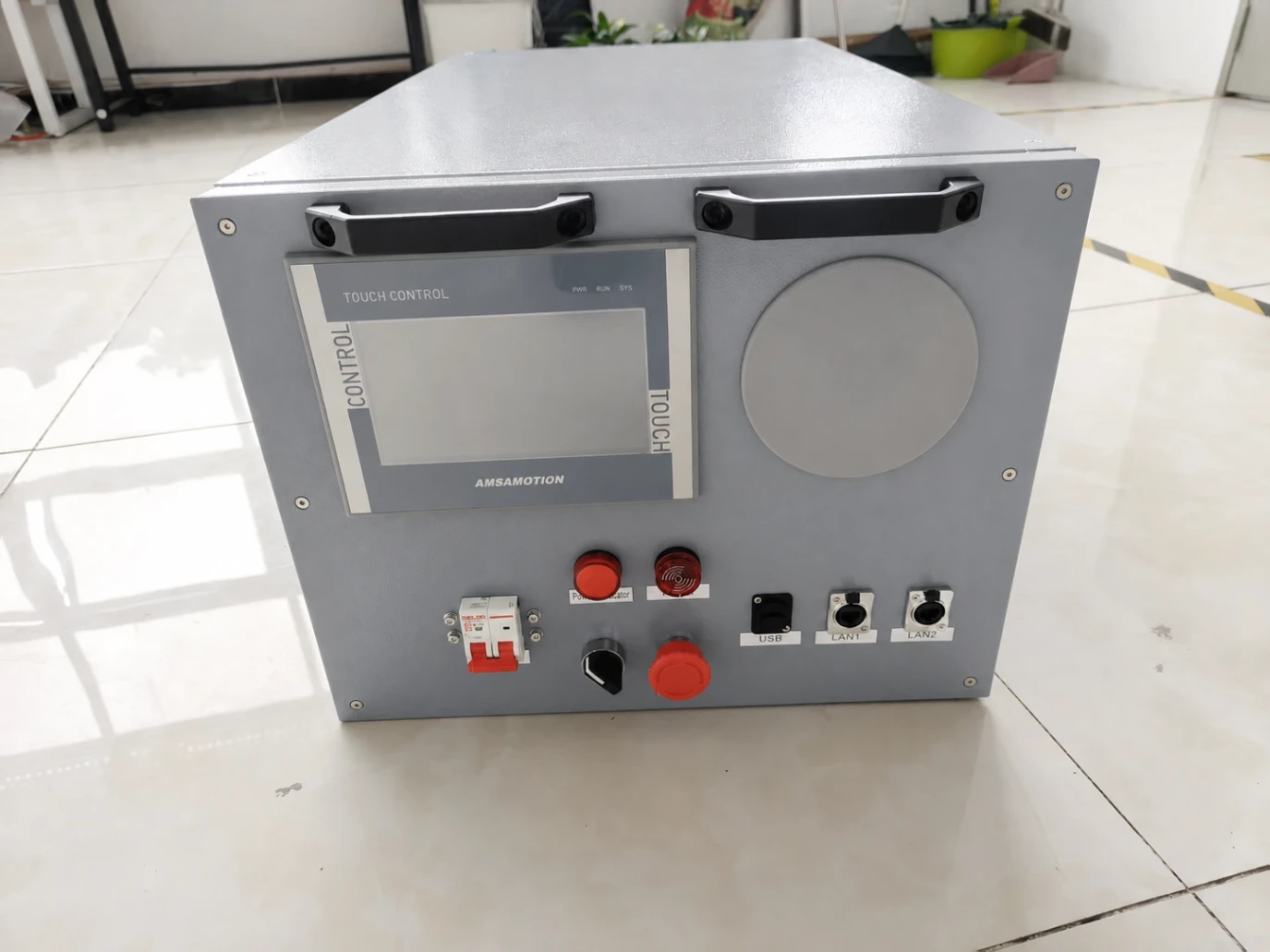
If the project involves liquid cooling, a rack-mounted liquid-cooled load bank can be especially useful because it places both the electrical load and the thermal load closer to the final AI rack environment.
Related Load Bank Resources
For more detailed equipment and application references, review these Batterlution resources:
FAQ: Load Bank for AI Server Thermal Simulation
Can a load bank simulate a GPU server before the rack arrives?
It can simulate the electrical demand and heat output that the GPU rack will place on the facility. It does not simulate GPU compute logic, firmware behavior, or application workload performance.
Why use a rack mounted load bank instead of a floor-standing test load?
A rack mounted load bank can be placed closer to the final rack position, connection method, airflow path, or liquid cooling interface. This helps the test represent the installed environment more accurately.
What should be checked during liquid-cooled AI rack simulation?
Record coolant flow, inlet and outlet temperature, delta-T, pressure, pressure drop, CDU response, leak alarms, high temperature alarms, BMS values, and exported trend data.
Is this test useful for commissioning records?
Yes. A controlled load bank test can create timestamped evidence for FAT, SAT, site commissioning, alarm verification, BMS or EPMS mapping, and handover documentation.
Send Your Rack Power and Heat-Load Profile
Batterlution can help review your rack power rating, cooling method, CDU interface, control requirements, and commissioning record needs, then recommend a suitable load bank configuration for AI server thermal simulation.